
General
Data Sources | General
Fields & Formulas
Data Sources | Fields & Formulas
Connections
Data Sources | Connections
Creating & Sharing
Reports | Creating & Sharing
Report Editing
Reports | Editing
Report Config
Reports | Report Config
Chart Cards
Reports | Chart Cards
Content Cards
Reports | Content Cards
General
Data Chat | General
General
AI Visibility | General
General
AI | General
MCP (Model Context Protocol)
AI | MCP (Model Context Protocol)
General
Clients | General
General
Integrations | General
Webhook — Local & Reviews
Integrations | Webhook — Local & Reviews
Webhook — Automation Payloads
Integrations | Webhook — Automation Payloads
Webhook — Other
Integrations | Webhook — Other
Account & Billing
Settings | Account & Billing
Users
Settings | Users
Comments & Notes
Settings | Comments & Notes
Notifications
Settings | Notifications
FAQ
Settings | FAQ
Other
Settings | Other
General
KPI Forecasting | General
Settings & Status
KPI Forecasting | Settings & Status
Seasonality
KPI Forecasting | Seasonality
Metrics by Source
KPI Forecasting | Metrics by Source
General
Budget Tracking | General
General
Anomaly Detection | General
General
Automation Jobs | General
Change History
Automation Jobs | Change History
URL & Page Checkers
Automation Jobs | URL & Page Checkers
Local & Reviews
Automation Jobs | Local & Reviews
Search Console
Automation Jobs | Search Console
Managing Insights
Insights | Managing Insights
Change History
Insights | Change History
URL & Page
Insights | URL & Page
Local & Reviews
Insights | Local & Reviews
Other Insight Types
Insights | Other Insight Types
General
Local Listings | General
Profiles & Content
Local Listings | Profiles & Content
Performance & Activity
Local Listings | Performance & Activity
Media
Local Listings | Media
Categories & Services
Local Listings | Categories & Services
General
Reviews | General
General
Social Posts | General
Creating Posts
Social Posts | Creating Posts
Managing Posts
Social Posts | Managing Posts
Pipelines
Data Warehouse | Pipelines
Access & Credits
Data Warehouse | Access & Credits
Source Fields
Data Warehouse | Source Fields
Data Studio
Data Warehouse | Data Studio
BigQuery
Data Warehouse | BigQuery
General
Clients | General
General
Integrations | General
MCP
Integrations | MCP
Webhook — Automation Payloads
Integrations | Webhook — Automation Payloads
Webhook — Local & Reviews
Integrations | Webhook — Local & Reviews
Webhook — Other
Integrations | Webhook — Other
Account & Billing
Settings | Account & Billing
Users
Settings | Users
Comments & Notes
Settings | Comments & Notes
Notifications
Settings | Notifications
FAQ
Settings | FAQ
Other
Settings | Other
Settings | Account & Billing
Insights | Managing Insights
Integrations | General
Settings | Comments & Notes
Settings | Users
Reports | Creating & Sharing
AI | General
AI | General
AI Visibility | General
AI Visibility | General
AI Visibility | General
Integrations | Webhook — Other
Reports | Content Cards
Anomaly Detection | General
Anomaly Detection | General
Anomaly Detection | General
Insights | Other Insight Types
Anomaly Detection | General
Integrations | Webhook — Other
Anomaly Detection | General
Local Listings | General
Reviews | General
AI Visibility | General
Reports | Chart Cards
Local Listings | Profiles & Content
Data Warehouse | Pipelines
Integrations | Webhook — Automation Payloads
Integrations | Webhook — Automation Payloads
Integrations | Webhook — Automation Payloads
Integrations | Webhook — Automation Payloads
Integrations | Webhook — Local & Reviews
Integrations | Webhook — Automation Payloads
Integrations | Webhook — Local & Reviews
Integrations | Webhook — Local & Reviews
Integrations | Webhook — Local & Reviews
Integrations | Webhook — Automation Payloads
Automation Jobs | General
Automation Jobs | General
Integrations | Webhook — Automation Payloads
Integrations | Webhook — Automation Payloads
Integrations | Webhook — Automation Payloads
Automation Jobs | General
Integrations | Webhook — Automation Payloads
Integrations | Webhook — Automation Payloads
Insights | Managing Insights
Reports | Chart Cards
Reports | Creating & Sharing
Budget Tracking | General
Budget Tracking | General
Budget Tracking | General
Budget Tracking | General
Budget Tracking | General
Budget Tracking | General
Integrations | Webhook — Other
Budget Tracking | General
Budget Tracking | General
AI | MCP (Model Context Protocol)
Local Listings | General
Local Listings | Media
Social Posts | General
Settings | Account & Billing
Reports | Editing
Reports | Creating & Sharing
Local Listings | Categories & Services
Local Listings | Categories & Services
Local Listings | Categories & Services
Settings | Users
AI Visibility | General
Settings | Other
Clients | General
Clients | General
Clients | General
Reports | Chart Cards
Settings | Notifications
AI Visibility | General
Data Sources | General
Integrations | General
Integrations | General
AI | MCP (Model Context Protocol)
AI | MCP (Model Context Protocol)
Data Sources | Connections
Data Sources | Connections
Data Sources | Connections
Data Sources | Connections
Data Sources | Connections
Data Sources | Connections
Data Sources | Connections
Data Sources | Connections
Data Sources | Connections
Local Listings | Media
Data Warehouse | Data Studio
Data Warehouse | Data Studio
Data Warehouse | Data Studio
KPI Forecasting | General
Reports | Creating & Sharing
Reports | Report Config
Reports | Creating & Sharing
Clients | General
Data Warehouse | Data Studio
KPI Forecasting | General
Data Warehouse | Pipelines
Data Warehouse | BigQuery
Social Posts | Creating Posts
Automation Jobs | General
Social Posts | Creating Posts
Anomaly Detection | General
Automation Jobs | General
Reports | Editing
Data Chat | General
Data Chat | General
Data Sources | General
Data Sources | General
Data Sources | General
Data Warehouse | Data Studio
Data Warehouse | Access & Credits
Data Warehouse | Access & Credits
Data Warehouse | Access & Credits
Clients | General
Settings | Users
Settings | Comments & Notes
Data Sources | General
Reports | Chart Cards
Social Posts | Managing Posts
Social Posts | Creating Posts
Data Warehouse | Data Studio
Settings | Notifications
Data Warehouse | Pipelines
Settings | Comments & Notes
Settings | Notifications
Settings | Notifications
Reports | Creating & Sharing
Reports | Creating & Sharing
Social Posts | Managing Posts
Data Warehouse | Pipelines
KPI Forecasting | Metrics by Source
Automation Jobs | URL & Page Checkers
Insights | URL & Page
Data Warehouse | Source Fields
KPI Forecasting | Metrics by Source
Reviews | General
Reports | Report Config
Reports | Report Config
Data Sources | General
Data Sources | Fields & Formulas
AI | General
Data Warehouse | Source Fields
Settings | FAQ
AI Visibility | General
Settings | FAQ
Data Sources | Connections
Data Sources | Connections
Automation Jobs | Change History
Insights | Change History
KPI Forecasting | Metrics by Source
Automation Jobs | URL & Page Checkers
Insights | URL & Page
Automation Jobs | Change History
Insights | Change History
KPI Forecasting | Metrics by Source
Data Warehouse | BigQuery
Automation Jobs | Change History
Insights | Change History
KPI Forecasting | Metrics by Source
Data Warehouse | Source Fields
Automation Jobs | Local & Reviews
Insights | Local & Reviews
Automation Jobs | Local & Reviews
Insights | Local & Reviews
Automation Jobs | Local & Reviews
Insights | Local & Reviews
Data Warehouse | Source Fields
Data Sources | Connections
Data Sources | Connections
Automation Jobs | Change History
Insights | Change History
Automation Jobs | Local & Reviews
Insights | Local & Reviews
Data Warehouse | Source Fields
Data Warehouse | Source Fields
Budget Tracking | General
KPI Forecasting | Settings & Status
Data Warehouse | Data Studio
Data Chat | General
Settings | Comments & Notes
Local Listings | Profiles & Content
AI Visibility | General
Settings | Other
Settings | FAQ
Reports | Content Cards
Reports | Content Cards
Local Listings | Media
Insights | Managing Insights
Insights | Managing Insights
Integrations | General
AI | MCP (Model Context Protocol)
KPI Forecasting | Settings & Status
KPI Forecasting | Settings & Status
KPI Forecasting | General
Integrations | Webhook — Other
KPI Forecasting | Settings & Status
Insights | Other Insight Types
KPI Forecasting | General
KPI Forecasting | Seasonality
KPI Forecasting | Settings & Status
KPI Forecasting | Seasonality
Reports | Chart Cards
Local Listings | Performance & Activity
Local Listings | Performance & Activity
Local Listings | Profiles & Content
Local Listings | Media
Integrations | General
Data Warehouse | BigQuery
Data Warehouse | BigQuery
Data Warehouse | Data Studio
Settings | Other
Data Chat | General
Local Listings | Media
Local Listings | Media
Local Listings | Media
Social Posts | General
Local Listings | Media
Local Listings | Media
Data Chat | General
KPI Forecasting | Metrics by Source
Automation Jobs | URL & Page Checkers
Insights | URL & Page
Reports | Creating & Sharing
Reports | Chart Cards
AI | MCP (Model Context Protocol)
Local Listings | Profiles & Content
Automation Jobs | URL & Page Checkers
Insights | URL & Page
Reports | Report Config
Reviews | General
Data Warehouse | Pipelines
Local Listings | General
Clients | General
Social Posts | Creating Posts
Reports | Creating & Sharing
AI Visibility | General
Social Posts | Managing Posts
Local Listings | Profiles & Content
Data Warehouse | Data Studio
Reports | Report Config
Insights | Managing Insights
Reviews | General
Reports | Editing
Reports | Creating & Sharing
Reports | Report Config
Insights | Managing Insights
Reviews | General
Reviews | General
Reviews | General
Automation Jobs | URL & Page Checkers
Insights | URL & Page
Automation Jobs | URL & Page Checkers
KPI Forecasting | Settings & Status
Clients | General
Reports | Chart Cards
Social Posts | Managing Posts
Automation Jobs | Search Console
Insights | Other Insight Types
Automation Jobs | Search Console
Insights | Other Insight Types
Local Listings | General
Clients | General
Reports | Creating & Sharing
Integrations | General
Local Listings | Categories & Services
Local Listings | Categories & Services
Settings | Account & Billing
Reports | Creating & Sharing
Social Posts | General
AI Visibility | General
AI Visibility | General
Settings | FAQ
Settings | Account & Billing
Reports | Content Cards
Data Sources | Fields & Formulas
Reports | Report Config
Reports | Content Cards
Settings | Account & Billing
Data Sources | Fields & Formulas
Reviews | General
Settings | Account & Billing
Clients | General
Data Warehouse | Data Studio
Settings | Users
Settings | Users
Social Posts | General
Settings | Other
Local Listings | Performance & Activity
Settings | Comments & Notes
Integrations | Webhook — Other
Settings | FAQ
When you use AI to create an Analysis, Jepto hands the reporting period to a dedicated background analysis agent. It researches your connected data, checks KPIs, budgets, recent account activity, and anomalies, then writes a narrative from what it finds.
Every analysis is shown in an Analysis card. The card is a container that shows an analysis when the report's date range overlaps the analysis's date range. For example, a report set to October 15 to November 30 shows an October analysis, but a report set to December 1 to December 31 does not.
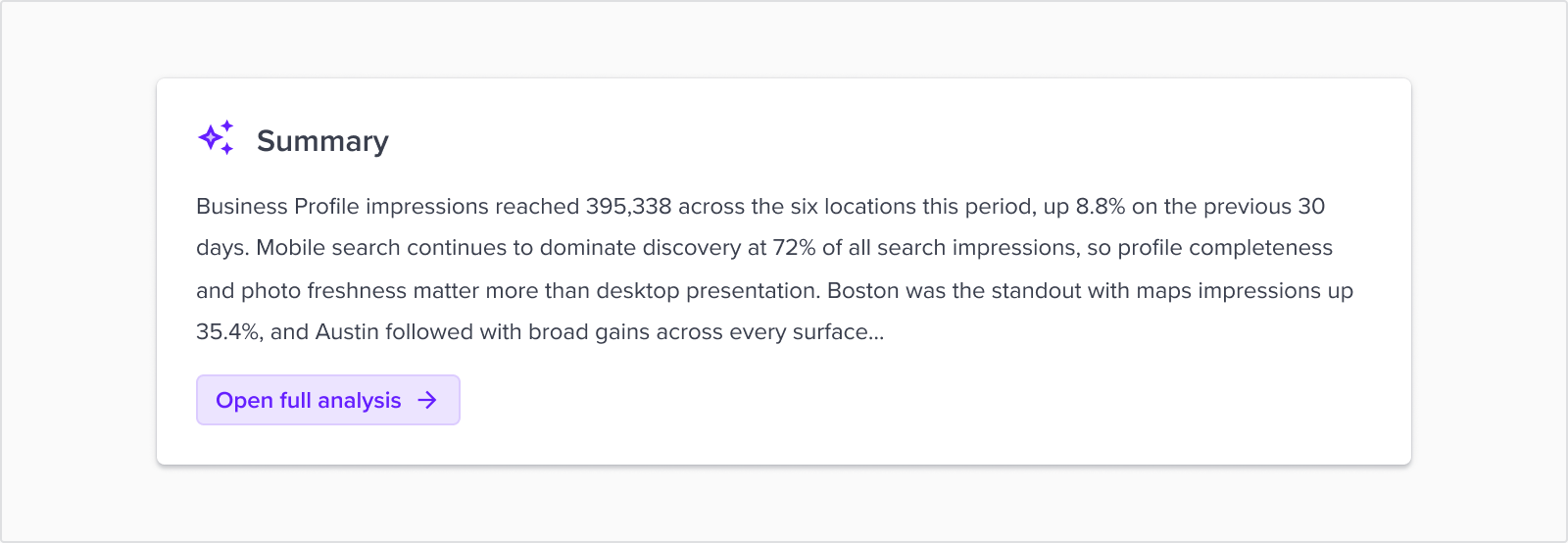
Analysis generation utilizes a fully configurable AI agent that acts as a research assistant: it plans a short checklist of what it needs, calls a sequence of tools to gather real numbers and context, and only writes the narrative once it has them. Jepto's instructions to the agent explicitly forbid reporting any number that didn't come back from a tool call, and require converting raw platform values (like spend in micros) into readable currency before writing anything down.
| Category | What it can check |
|---|---|
| Your data | Which sources are connected, the same metrics/dimensions catalog as the rest of Jepto (Data Model), and live query results for period totals, campaign breakdowns, and trends |
| This report | The charts and tables already on the report, so the narrative adds context instead of repeating what's already visible - plus where on the page to place the analysis card |
| Performance signals | KPI targets (actual vs. target), budget pacing (on/off track), flagged anomalies, and recent account actions (bid changes, campaign launches/pauses) to explain why a number moved |
| Web Search | Allows the agent to conduct research across the web. If used within the analysis the agent is requested to cite the sources within the footer. |
The agent also loads a channel-specific playbook depending on what's connected for the client - paid search, social, SEO, local SEO, email, or a blended approach when several channels are relevant - so the structure and focus of the narrative adapts to the account rather than using one generic template.
| Field | What it does |
|---|---|
| Reporting period | One or more full calendar months. The agent can't analyze a partial or still-in-progress month. |
| Report audience | Who the narrative is written for - Business owner (default), Marketing manager, Finance team, Agency team, Client contact, or Leadership. Genuinely changes what the narrative leads with and how it's structured, not just tone - see Report audience below. |
| Additional context | Freeform notes - strategy changes, what to focus on, or anything unusual this period. You can also paste the full page item JSON from your report (layout, card ids, titles, grid positions) - there is no size limit. This is the main way you steer the output; see example prompts below. |
| AI model | The same model picker used elsewhere in Jepto (e.g. Card Chat, Data Chat) - the available list is account/config-driven and changes over time. |
| Account Rules | Organisation-wide instructions from Rules - tone, terminology, and things to avoid. Applied automatically for every run; you do not paste these into Additional context. |
| Client Rules | Per-client instructions from Rules. Applied automatically alongside Account Rules for the selected client. |
| Client background context | Industry, services, positioning, and profile fields from Client settings. Applied automatically so the narrative uses the right business framing. |
Tailoring the reporting commentary to the intended audience - each option maps to its own full set of writing rules that change which sections expand or collapse, what the narrative leads with, and how technical the language is allowed to get.
| Audience | What it changes |
|---|---|
| Business owner (default) | Collapses Channel Performance into one summary table per channel; skips Campaign Breakdown and Trends unless something critical shows up; closes with exactly 3 prioritized actions, each with an estimated dollar or lead impact. |
| Marketing manager | Leads with channel efficiency (return on ad spend, cost per lead/acquisition); expands Campaign Breakdown grouped by objective; emphasizes funnel metrics over impressions; calls out creative or audience signals (e.g. fatigue, quality score drops). |
| Finance team | Leads with total investment vs. total return; expands budget pacing per channel (spend, % of budget used, days remaining, projected month-end variance); flags any channel more than 10% off pacing; frames recommendations as budget reallocation with an estimated impact. |
| Agency team | Full metric tables in every section, all campaigns (not just top spenders), a week-by-week Trends section, and a short narrative after every table explaining what drove the movement - the most exhaustive option. |
| Client contact | Plain-language monthly update; opens with a short "what changed and why it matters" narrative; keeps Channel Performance to the 2-3 channels that mattered most; owner-ready recommendations; collaborative, reassuring tone. |
| Leadership | Strategic readout grouped into themes (growth engines, efficiency gaps, budget risk) instead of a channel-by-channel walkthrough; closes with a 3-item decision agenda; prefers 3-month trend/trajectory framing over single-period detail. |
All six options share the same underlying data and tool calls - only the framing, structure, and level of detail change. Pick the audience that matches who will actually read the card, and use Additional context for anything specific to this run (a campaign change, a goal shift) rather than trying to convey it through the audience choice.
| Problem | Likely cause | What to try |
|---|---|---|
| Generation is taking a while | Normal - it's making several tool calls per period before writing anything | Wait a few minutes; multi-month batches take longer since each month is researched separately |
| Draft feels generic or misses what mattered this period | The agent only knows what your data plus Additional context tells it | Add specifics (a channel to focus on, a recent change, a goal) and regenerate |
| A number looks wrong | The agent only reports what a query returns - if the underlying data is off, the narrative will be too | Cross-check the same metric on a chart or table card on the report; if it's still off, the issue is upstream in the Data Model, not the narrative |
| I wanted to redirect it partway through | Not supported - the agent can't pause for input once running | Let it finish, then edit the result directly, or regenerate with more detail in Additional context |
Thanks a lot for your feedback! If you’d like a member of our support team to respond to you, please send a message here
Oops! Something went wrong while submitting the form.
Thanks a lot for your feedback! If you’d like a member of our support team to respond to you, please send a message here
Oops! Something went wrong while submitting the form.